
3 tips for a functional remote workspace at the cottage
Why stay cooped up at home this summer when you can work remotely? Move your workstation to the cottage instead. Taking breaks is much more refreshing when you can clear your head with a quick dip in the lake, some wood-chopping, or a bit of gardening. Work feels effortless when you're in the right environment! And don't believe anyone who says you can't be productive at the cottage – it's just as efficient as working from home, provided you have the right remote work gear.

1. Get your internet connection sorted
To work from the summer cottage, you need a reliable internet connection. And no, we don't mean fishing nets. While you can use your phone as a hotspot for occasional remote work, it becomes quite a hassle for longer stays. Consider a fixed internet connection for the summer if available. For a fixed connection, you'll need a modem and potentially routers to extend the range. Another option is to get a 4G or 5G antenna and a mobile broadband subscription. In this case, you'll also need a modem with a SIM card slot designed for mobile broadband. If you need help choosing the right modem or router, read our modem and router buying guide.
P.S. A working VPN is essential for remote work. Make sure to choose a modem or router that supports VPN connections.
Most popular pellet grills
See allTP-LINK Deco X50-5G Modem + X50 Outdoor WiFi 6 Mesh System for Indoor and Outdoor Use

- X50-5G modem and X50 outdoor base station
- 5G speed up to 3.4 Gbps*
- WiFi AX speed up to 3000 Mbps
- 1 x 2.5 Gigabit Ethernet port
- 4 x Gigabit LAN/WAN ethernet ports
Price now 429,99 €, regular price 443,99 €.429,99443,99TP-LINK Deco X50-5G Dual Band 5G/4G/3G Modem and WiFi 6 Access Point

- 5G speed up to 3.4 Gbps*
- WiFi AX speed up to 3000 Mbps
- 1 x 2.5 Gigabit LAN/WAN port
- 2 x Gigabit LAN/WAN port
- Operator-free
Price 319,00 €.319,00TP-LINK Deco X50-5G Dual Band 5G/4G/3G Modem + X50 WiFi6 Access Point

- X50-5G modem and X50 WiFi6 access point
- 5G speed up to 3.4 Gbps*
- WiFi AX speed up to 3000 Mbps
- 1 x 2.5 Gigabit LAN/WAN port
- 5 x Gigabit LAN/WAN ports
Price now 399,99 €, regular price 402,99 €.399,99402,99TP-LINK Archer NX200-5G Dual Band 5G/4G/3G Modem and WiFi6 Access Point
 Sale
- 5G speed up to 4.67 Gbps*
- WiFi AX speed up to 1800 Mbps
- 3 x Gigabit LAN/WAN ports
- TP-Link EasyMesh compatible
- Operator-free
Price now 199,00 €, regular price 249,00 €.199,00249,00Huawei 5G Mobile WiFi PRO 5 router

- Efficient connectivity
- Efficient wireless technology
- Reliable Huawei quality
- Long-lasting 7000 mAh battery
- USB Type-C port for easy connection
Price 270,00 €.270,00Teltonika RUTX50 5G/4G/3G Modem and WiFi Router

- Two SIM card slots
- 5G speed up to 3.3 Gbps*
- WiFi speed up to 867 Mbps
- Five Gigabit Ethernet ports
- GNSS positioning
Price 605,00 €.605,00TP-LINK M8550 5G Mobile Wi-Fi 6E Mobile Router
 Sale
- Support for up to 32 devices simultaneously
- Fast 5G connection with download speeds up to 3.4 Gbps
- Easy control with a 2.4" touchscreen
- VPN encryption with the Wireguard protocol for security
- Internal battery 4680 mAh for long-lasting use
Price now 359,00 €, regular price 419,00 €.359,00419,00Keenetic Hero 5G KN-4110 Modem and WiFi 6 Router
 Sale
- 5G and Dual SIM support for seamless connectivity
- 2.5 Gb Ethernet and USB Type-C connections
- Management easily through the cloud service
- Compatible with up to 256 devices simultaneously
- Child lock and ad blocker built-in
Price now 149,99 €, regular price 199,99 €.149,99199,99TP-LINK Archer NX500 5G Dual-Band Modem and WiFi6 Router

- 5G speeds up to 4.67 Gbps
- Wi-Fi speed up to 2402 Mbps
- Plug and play, easy installation
- EasyMesh Compatibility
- 2× Gigabit LAN ports
Price 299,00 €.299,00Ubiquiti UniFi 5G Max modem

- Dual SIM slots: NanoSIM and eSIM
- 2.5 Gb Ethernet port for a stable connection
- Power over Ethernet power supply reduces cables
- Internal four-antenna system for stable signal
- Built-in display for device status
Price 531,00 €.531,00Ubiquiti UniFi 5G Max Outdoor modem

- 2.5 Gb Ethernet port for outdoor use
- IP67 rating protects against dust and water
- Wide temperature range and moisture resistant
- PoE power supply simplifies outdoor installation
- Operates over a wide temperature range
Price 533,00 €.533,00Zyxel FWA515 5G Router

- WiFi 7 connection with speeds up to 7.2 Gbps
- The Dual WAN function ensures connection continuity
- Cloud-based remote management with a mobile app and browser
- USB 2.0 port for file sharing and external devices
- Built-in omni-antenna connections with wide coverage
Price 459,00 €.459,00TP-LINK Deco BE65-5G 5G/4G/3G modem and WiFi 7 access point + WiFi 7 access point

- 5G speed up to 3.4 Gbps*
- WiFi 7 speed up to 9300 Mbps
- 7 x 2.5 Gigabit LAN/WAN ports
- Easy implementation and management
- Operator-free
Price now 749,99 €, regular price 769,98 €.749,99769,98Keenetic Roamer 5G Wi-Fi 6 mobile router
 Sale
- 5G mobile router
- Battery: 4000 mAh
- 5 GHz (600 Mbps) and 2.4 GHz (287 Mbps)
- NanoSIM
- Portable and rechargeable
Price now 139,99 €, regular price 185,99 €.139,99185,99TP-LINK Deco BE65-5G Tri-Band 5G/4G/3G Modem and WiFi 7 Access Point
 Sale
- 5G speed up to 3.4 Gbps*
- WiFi 7 speed up to 9300 Mbps
- 3 x 2.5 Gigabit LAN/WAN ports
- Easy deployment and management
- Operator-free
Price now 459,00 €, regular price 539,99 €.459,00539,99
2. Power for your tools
Why work from the cottage if you can't enjoy the outdoors when the weather is nice? While the sun recharges you, it won't do the same for your computer – so make sure you can charge your devices outside too. But be careful! Both you and your laptop can overheat in direct sunlight. And what if your cottage has no electricity at all? We have solutions for that too!
Power your devices with outdoor extension cords, power banks, power stations, and generators.
3. Remote work is better at the cabin with the right gear
Working from the cabin is just as productive as working from home when you have the right accessories and maintain good ergonomics. After all, your home setup is already perfect, right? The key to ergonomics is varying your posture throughout the day, and the cabin offers plenty of opportunities for that—weather permitting. You can start at the dining table, move to a sun lounger, and then set up a standing desk on the terrace table. You could probably even get some work done in a hammock for a while!
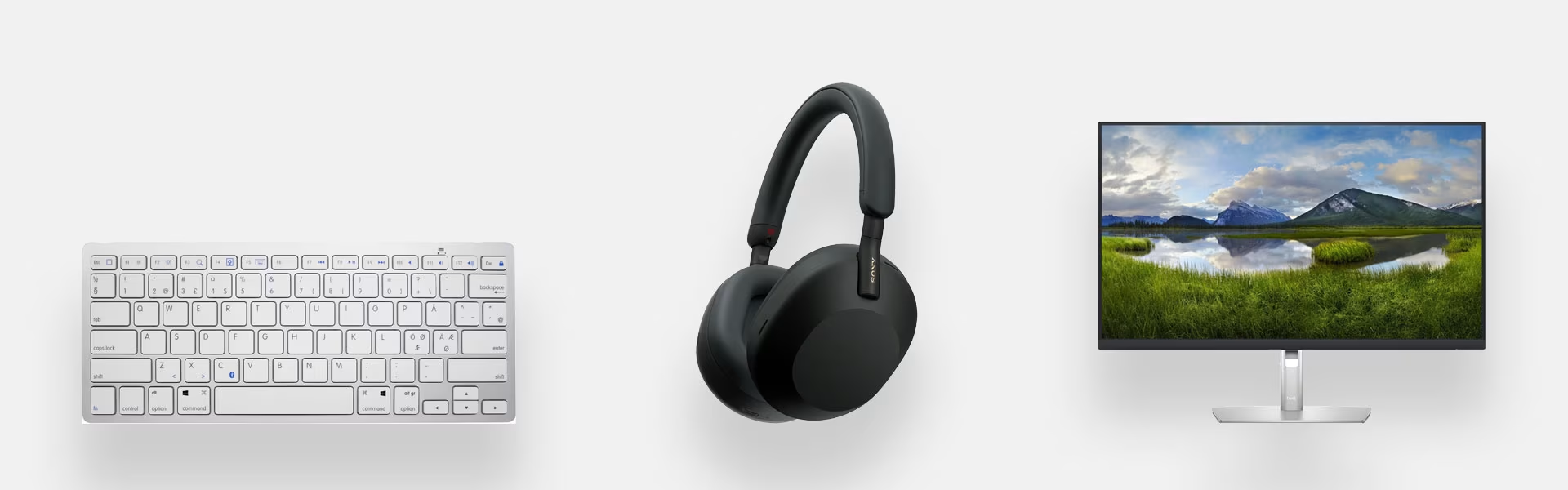
If you plan on working remotely from the cabin for longer periods, it's worth setting up a proper workstation if space allows. A separate monitor, electric desk and a quality office chair are the gold standard, but you can manage with less if space or budget is tight. At the very least, invest in a separate mouse and keyboard, which are much easier to use than a laptop alone. You should also get a laptop stand to raise your screen to a better height and avoid neck strain from looking down.
Last but not least—if you aren't at the cabin alone, get noise-canceling headphones. They allow you to handle meetings without background noise and give you peace and quiet from kids or dogs!
Give us feedback – was this article helpful?
We’d love to hear from you! Rate this article on a scale of 1–5 and let us know how we could make it even better.
Give feedback (Ulkoinen palvelu) (Avautuu uuteen välilehteen)