Modem and router buying guide
A fixed home internet connection usually requires a modem or a router. Which one is right for you? This guide covers everything you need to know when shopping for a modem or router. We created this guide with help from Ossi, an expert at our Verkkokauppa.com Oulu store.
Choosing a home modem? It all starts with your internet connection
Let’s start with the basics. To find the right modem for your home, you need to know your connection type and speed. In Finland, providers like Elisa, Telia, and DNA offer various connections, including mobile broadband, ADSL, VDSL, cable, and fiber. Since faster connections cost more, make sure your modem supports your connection's maximum theoretical speed to avoid paying for bandwidth your hardware limits. Densely populated areas typically have more options than rural locations. For example, fiber might not be available from major operators everywhere at a reasonable price, but local cooperatives may provide it.
Start by choosing the category for your connection type, then filter the selection by maximum wireless speed.

Mobile broadband is a versatile option you can take anywhere, like to the cottage. With high-speed 4G and 5G, it’s now a great primary home connection. Besides a subscription, you’ll need a 4G or 5G antenna and a modem with a SIM card slot.
ADSL (Asymmetric Digital Subscriber Line) is a common connection type that has been in use for over 20 years. ADSL runs through traditional copper telephone lines, and the modem is connected to a telephone socket at home. While not a particularly fast technology—though the newer ADSL2+ version is faster than the original—ADSL offers a relatively long range.
VDSL (Very-High-Bit-Rate Digital Subscriber Line) runs through copper telephone lines like ADSL and connects to a telephone socket at home. It is faster than an ADSL connection but works over shorter distances.
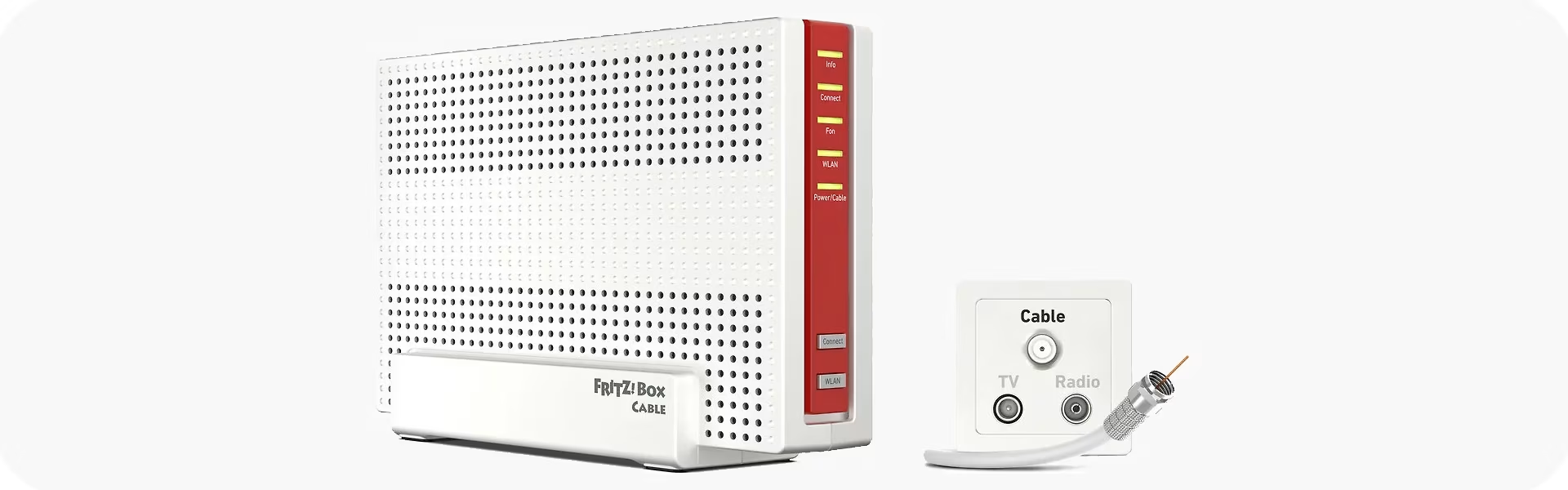
Cable broadband is a fast and reliable connection that operates over the cable TV network. To use cable broadband, you need a cable modem that connects to your home's antenna socket.
Choosing the right modem and router for fiber optics
Instead of VDSL, ADSL, or cable, many homes are now being equipped with high-speed, reliable fiber optic connections. In a fiber connection, the signal travels as light through glass fibers, enabling virtually unlimited speeds regardless of load or distance. Fiber is highly resistant to weather conditions as it is typically buried underground.
For apartment dwellers, fiber is simple—it's usually pre-installed in the electrical cabinet, so you only need a router or a mesh system for wireless connectivity.
In detached houses, the situation can be more complex depending on the area and the services provided by the installer. Since fiber is a fundamentally different connection type, it requires a "modem" (known as a media converter) and an SFP module. The SFP module must be compatible with your specific internet connection. While the module is often provided by the installer, you should contact your service provider if it's not included. Media converters themselves generally work across different connections as long as the module is correct.
Fiber optics don't impose any special restrictions on routers. The same general guidelines for choosing a router apply.
Verkkokauppa.com recommends
Some operators market cable network connections as fiber. In these cases, the "fiber connection" actually uses a cable modem.
Better internet with a mesh network

Mesh networks
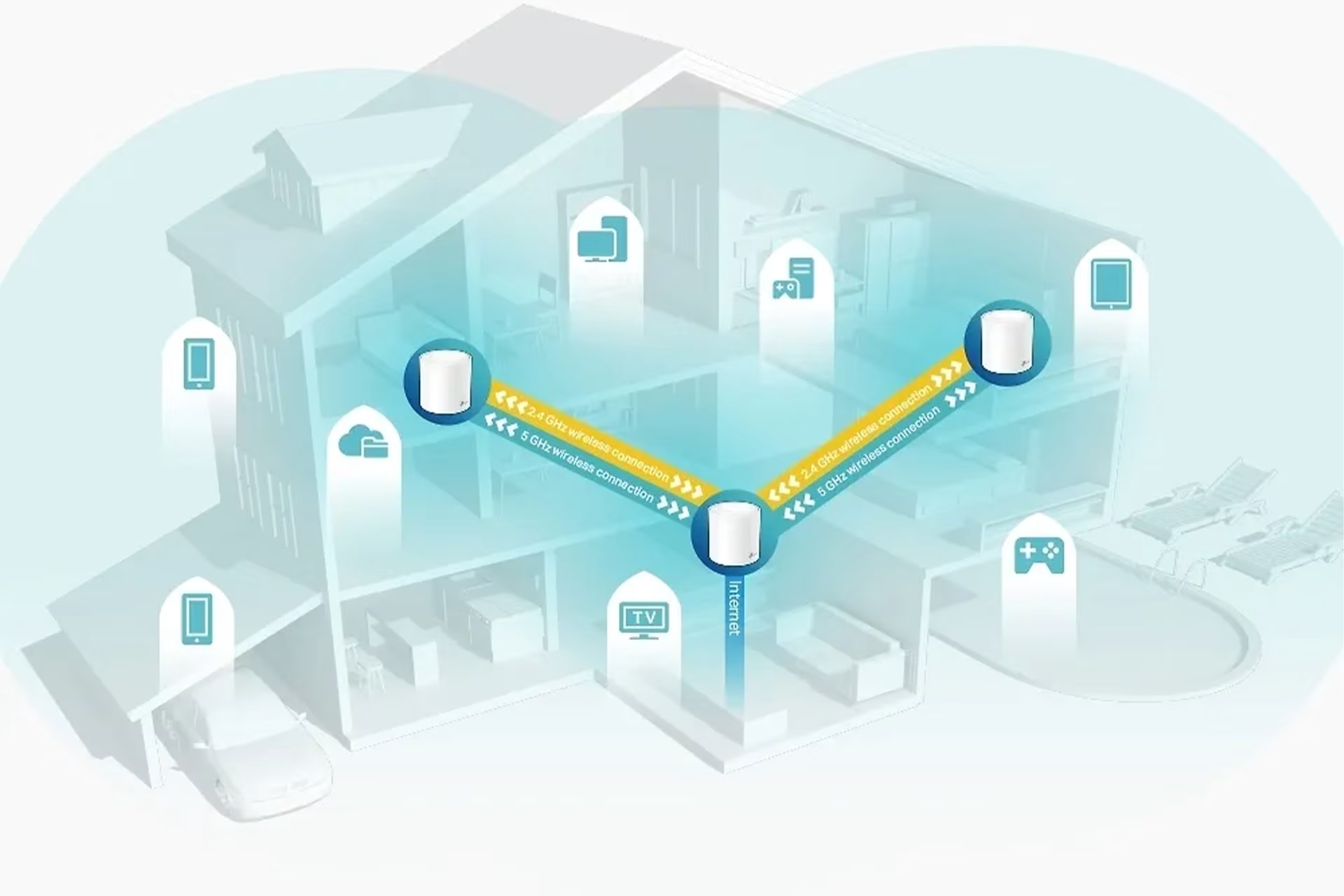
- What is a mesh network? A mesh network extends coverage and provides a faster, more reliable connection than a standard router. You can set up a mesh network anywhere, regardless of how the internet enters your home—whether via mobile network, ADSL, VDSL, cable, or fiber optics.
- How does a mesh network work? A mesh network is built by placing multiple mesh routers throughout a home or office. These devices act as both transmitters and receivers—typically, one unit functions as the main router while the others act as nodes. They communicate with each other to ensure your device always receives the strongest signal. To the user, it appears as a single, seamless network, providing a fast and uninterrupted connection.
- Where is a mesh network recommended? Mesh is ideal for large or complex spaces, multi-story homes, and environments with many simultaneous users. As our expert puts it: "Mesh provides excellent coverage and load management at a reasonable price."
- Where to start? Our expert, Ossi, recommends the TP-Link Deco system. You can build a mesh network tailored to your home and budget using any Deco models. Each Deco unit also features one to four Ethernet ports, making it easy to connect wired devices.
What’s the difference between a router and a modem? And what is an access point?
- How does a modem work?
A modem converts the analog signal from your service provider (usually via phone or TV cable) into a digital one. You generally need a modem for connections delivered via phone/TV lines or for 4G and 5G. In newer buildings, the internet connection is often pre-wired into the electrical cabinet, requiring only a cable and no modem. However, if you want wireless internet at home, you’ll need a router or an access point instead. - What does a router do?
A router allows multiple devices to connect to the same network and shares the internet connection between them. It acts as a gateway between your devices and the connection point, such as a modem. Since a modem's range might not cover large homes or spaces with many walls, routers can be used to extend coverage to different rooms or floors. - What is an access point?
An access point creates a wireless network by converting a wired signal into a wireless one, but it doesn't create a local area network (LAN) on its own. You can have multiple access points in the same network to provide wider wireless coverage. They are commonly used in public spaces.
Generally, a router requires a modem to function, while a modem needs a router or access point to extend coverage across multiple rooms or floors, or to handle high traffic and multiple users.

Choosing a router or mesh system – what do you get for your money?
There are several factors to consider when choosing a router. While people often ask which router is best for an apartment, the type of housing alone doesn't determine the right choice. Factors like the size and layout of your home—such as the number of internal walls—play a significant role. Larger homes require multiple routers to ensure full coverage.
The number of connected devices and how you use the network also matter—whether you're just browsing the web, streaming movies and series, or gaming.
The more users and high-bandwidth activities you have, the better the router or mesh system you'll need. In other words, the more it will cost.
Affordable routers – under €50
- For light use in small apartments, almost any router or modem with a built-in router will work.
Mid-range routers – €50–100
- A mid-range router or an affordable mesh system is ideal for extending the range of a basic modem in larger homes or apartments with challenging layouts for Wi-Fi signals.
High-quality routers – over €100
- For larger homes and power users, our experts recommend TP-Link AX series mesh systems. The number of units required depends on your home's square footage and layout. For even better performance, consider ultra-fast WiFi 7 routers or mesh systems.
- As with most tech, investing more gets you better performance. In routers, this means more speed, range, and capacity—ensuring your network can handle the whole family streaming 4K content on different devices simultaneously.
Looking for a good gaming router?
Don't skimp on your router if you're an online gamer. For the best experience, we recommend a wired connection—simply plug your PC or console directly into the network with an Ethernet cable. Choose a router with at least Gigabit Ethernet ports to ensure a fast, stable connection that won't let you down during critical moments.
Give us feedback – was this article helpful?
We’d love to hear from you! Rate this article on a scale of 1–5 and let us know how we could make it even better.
Give feedback (Ulkoinen palvelu) (Avautuu uuteen välilehteen)