Tuotteen kuvat ja videot

Hintatiedot
Hinta 799,00 €.799,00
Maksa myöhemmin Tilillä
Saatavuustiedot
Lähetettävissä0 kpl
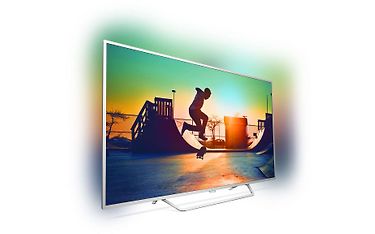
- 4K Android Smart TV
- Micro Dimming Pro
- HDR Plus
- 900 PPI -kuvanparannus
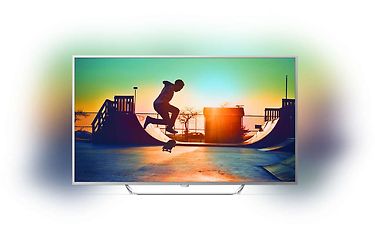
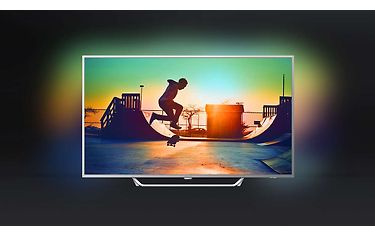
- Ambilight 3 -valonheijastus
Maksupalvelut
Arvostelut
Lue kaikki 7 tuotearvostelua- 10%
- 20%
- 328%
- 414%
- 557%
Hyvännäkoinen tv hyvine ominaisuuksineen
Jos omistaa android puhelimen, se on vain plussaa, sillä se voi toimia tarvittaessa jopa kaukosäätimenä. Amblight ominaisuudet ovat luovat hienon kokemuksen elokuvia katsellessa. Todella hyv' Smart tv:ksi.
Awsome product at this price range
Brilliant work by philips.....
Guys who r complaining abt display sound and other things....plz go to settings nd turn of economic mode for best results.
Thanks again.
Moses
Perfect TV
Excellent TV, a bit complicated picture and sound setting, but once set, everything is great. Especially 4K and HDR video, it's really wonderful. The built-in player is a little slim, but with VLC or MX player everything works fine.
Excellent support for connecting with other devices.
The only complaint for poor support, but it has nothing to do with the device, it's up to the company. But I expect improvements as well an upgrade to Android 7 or at least sooner when it will be upgraded.
In the end, excellent TV, with great performance ...
Hyvä kuvan laatu
Kuvan laatu on edittäin hyvä muun merkkisiin verrattuna
good picture, bad sound
The tv is great, ambient light is great,
the sound however is not great.
use a soundbar to fix this issue, if you do this
then its a good TV.
One High level bug found
Aside from slow performance due to weak internals (i.e. 4k60fps YouTube videos hanging) there is one bug that I would label as high and until it's fixed I won't be able to recommend it or improve my rating.
Bluetooth devices can't be found via built-in settings menu.
Steps to reproduce:
1.Have a 'visible' Bluetooth audio device in vicinity,
- In TV, go to settings > wireless connections > Bluetooth > Search devices.
Actual:
Search goes until timeout.
Expected:
Audio device found.
Note:
By sideloading a Bluetooth pairing app (because Android TV Store doesn't have it), I was able to find Bluetooth devices and pair them. So my guess is, as this same Philips settings skin is used in other models with different wireless modules, the front end is giving the wrong command, perhaps meant for another model, to scan for devices and is not configured to handle the error response (if there is one), so it times out instead. Then again, I am thinking this command is probably pretty universal if a random app can do it. So maybe not the wrong command, but simply code that contains an error and it doesn't trigger the Bluetooth Search, or it doesn't populate the list. Either way it needs more investigation
- In TV, go to settings > wireless connections > Bluetooth > Search devices.
BLUETOOTH DODE NOT WORK !!!!!!!!!!!!!!!
BLUETOOTH DODE NOT WORK !!!!!!!!!!!!!!! HORRIBLE NO CONECTING
